

Results 31 to 37 of 37


-
08-24-2021, 03:45 PM #31


Love the Breaking the Barrier card! Beautiful concept, and precision execution with the cutouts!
Thanks for sharing that!
-
-
08-24-2021, 03:52 PM #32Assistant General Manager


It one of the customizers from years ago. I have a slew I will have to dig out as I have a whole bunch I used to take to the Nationals to showcase the various customs cards made here at SCF.
DONCard Supplies
Toploaders 60 point $4, 100 point $7, 140 point $4, 190 point $3, 240 point $3
Soft Sleeves Standard $1 and Thick $1.50
TOP-LOADER 3X4,100 CT PENNY SLEEVES INCLUDED $11
-
08-30-2021, 03:04 AM #33
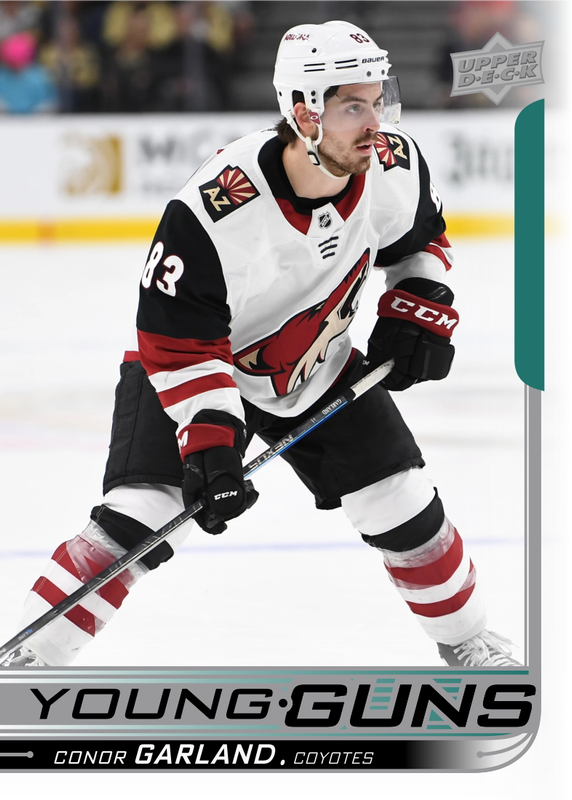
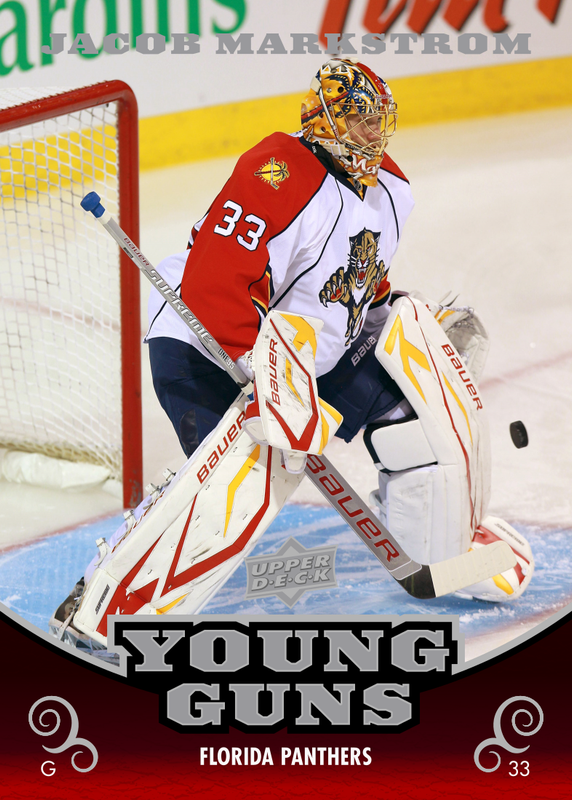
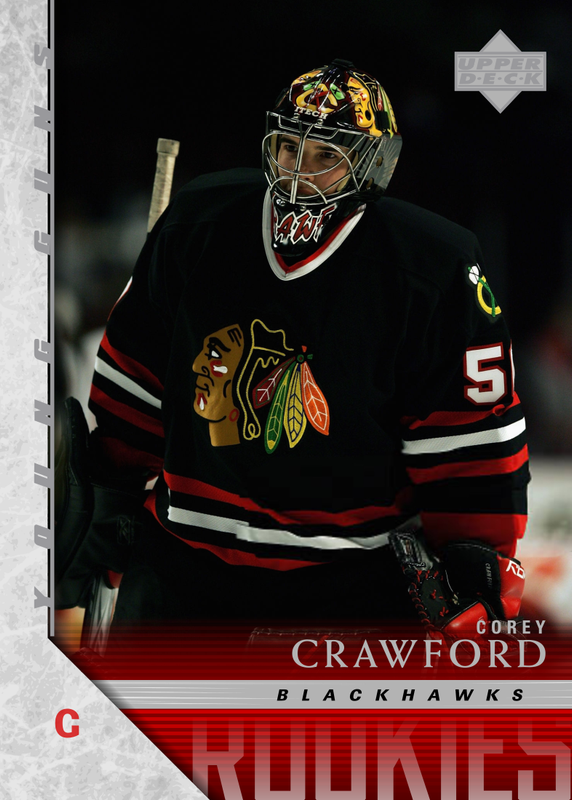
Does anyone here have tips for printing out custom cards and making them look nice? I've making cards digitally for awhile now but I've never attempted to get them printed out. Here are some examples of some custom Young Guns I have made:

-
-
08-30-2021, 04:07 AM #34


Tips that have worked for me:
1) avoid simulating foil. It never looks right.
2) print on high quality glossy photo paper
3) use a solvent based glue (not water) to stick the photo sheet to a comic backing board (or card decoy). For added pazazz, you can print backs and put them on. I use brown paper to give the OPC effect.
4) cut using a guillotine cutter, or a REALLY NEW AND SHARP exacto knife. Take several passes with light pressure to make the cut. Make the short cuts first (ie top and bottom) before the longer ones (sides). Put registration marks on the uncut sheet to help make a card the right size.
5) using penny sleeves or even baking paper, put the cards in between pages of a book and put a heavy weight onto for 12-24 hours.
6) to make a layered card (jersey, puck, auto, etc) make several blank layers with the window cut out. Make the layers thicker than your object. I use a Circuit Explore Air 2 cutter to get those pro looking windows.
7) use two sided tape to hold down your memorabilia piece (hot glue works as well). Less is more with the glue!
8) if you are hellbent on foil, you can either have a sheet hot stamped (your local book bindery should be able to do this) or use foiling paper and your trusty Circuit Explore Air 2 (about $300, all other brands are about the same).
9) penny sleeve everything. Water and isopropanol are the enemies of photo paper. Sunlight sucks too.
10) use a white eraser to get rid of gummy/gluey edges
11) sacrifice a goat to Lord Zothar… it can’t hurt right? There is a lot of luck and discovery in this. I have made a lot of custom cards for both adults and kids - I never charge, but I do ask that they make a donation (what they can afford) to a local charity. I have a soft spot for Cancer foundations or Alzheimer’s research (both have taken many family and friends). My upfront cost is really just a stamp and a toploader. $3 on my end to get $10 towards cancer research?! A good deal in my eyes. I have never charged for a custom card… unless I have paid for licensing.
12) Cost: a photo sheet (for 9 cards) is under $1. The ink is under $0.25, I use an EcoTank 3500 from Epson (cheap refillable ink)…. You can use laser ink for different effects with different paper. The Elmer’s Brown Glue that I use is about $8/bottle (the brown dry on dry one we used to all play with in elementary, but not the water based one). Per card it is maybe $0.10. A back board, back print, back sheet, and even extra layers for memorabilia chunks will add a little but of cost, but not much. When possible (as a photographer myself) I like to give credit to the person who took the photo.
Don’t be afraid to try different papers (like UD Canvas… or UD Masterpieces), different levels of gloss (matt on gloss makes a nice effect)
Show your stuff!! A photo of the real card us always better than the .jpeg

Sent from my iPhone using Tapatalk
-
08-30-2021, 09:28 AM #35Hockey Advisor


@troy95
Nice looking customs!
I've been using Walmart's Photo Centre for mine. Here's a sample (front and back) of what I've been making:

What I have been doing is creating 4 card panels in paint.net that are exactly 5x7 (twice the size of a standard trading card). Walmart sells "flat" 5x7 greeting cards for less than $1 each (price varies, depending on the quantity you buy). It's usually around 87 cents per 5x7 print. You can have them printed and pick them up at the local Walmart, or have them mailed to you (I typically place an order that has at least 6 sheets... my most recent order had 13. Shipping costs less than $4 on quantities like that).
I pre-make the "master" 5x7 image, and drop it onto the Walmart greeting card. Move it around / size it correctly. It's pretty simple.
Once I have them in hand, I have to cut them. I did buy a half-decent cutter to do this with
They are not glossy cards, so if that's the look you want - this isn't the way to go. For my purposes, I'm trying to get them signed - so non glossy is better anyway.
I really like the Walmart option because it's dirt cheap, looks good (not always, but that has to do with my photoshop work, not Walmart), and it's an easy way to do front & back.
-
-
09-01-2021, 03:48 AM #36
Thanks Rraincock, lots of great info in your post. I was thinking about getting a Cricut awhile ago. Do you find that it's really handy for card-making?
As for 30ranfordfan, I have considered using a print service like Walmart but I was wondering how much they would get stuck up on the NHL and UD logos, etc. I don't want people to think I'm counterfeiting or anything like that.
-
09-01-2021, 09:18 AM #37Hockey Advisor
I suspect that nobody even looks at them. It's all automated. Yes, someone probably sees them at some point, along the printing process.
With what I'm doing (on the 5x7 cards, with 4 cards on each) - the print quality isn't high enough for anyone to believe those are counterfeits IMO.
The cost is low enough (my recent batch worked out to about 30 cents per card) that I'm happy to take any risk involved in the process. I have had some come back that the photo wasn't great (too dark) and I had to just toss, and try again.
-


 Reply With Quote

 Originally Posted by BigBarracuda


